
Introduction
Customers are the heart of every business. Whether a company sells products, offers services, runs an agency, manages an online store, or works in B2B sales, customer relationships decide long-term success. Businesses need to manage leads, follow up with prospects, answer customer questions, track deals, send emails, update records, and maintain communication. When all of this is done manually, it can become slow, confusing, and full of mistakes. This is where CRM Automation becomes very important.
CRM stands for Customer Relationship Management. It is a system that helps businesses manage customer data, sales activities, communication history, and relationship-building tasks. CRM automation means using software to automate repetitive CRM tasks such as lead capturing, follow-up reminders, email sequences, sales pipeline updates, customer segmentation, and task assignments.
The main goal of CRM automation is to help businesses build better relationships without wasting time on manual work. It allows sales, marketing, and customer support teams to stay organized and respond faster. Instead of forgetting leads or missing follow-ups, the CRM system can automatically remind teams, update data, and keep the customer journey smooth.
In today’s competitive market, customers expect quick replies, personalized communication, and professional service. CRM automation helps businesses meet these expectations while improving productivity and sales performance.
What Is CRM Automation?
CRM Automation is the process of using CRM software to automatically handle repeated customer management tasks. These tasks may include saving lead information, sending welcome emails, assigning leads to sales representatives, creating follow-up reminders, updating deal stages, and tracking customer interactions.
For example, when a visitor fills out a contact form on a website, CRM automation can automatically add that person as a lead in the CRM. It can also send a thank-you email, notify the sales team, and create a follow-up task. This saves time and makes sure no lead is ignored.
CRM automation connects customer data with business actions. It helps companies manage the full customer journey from first contact to final sale and even after-sale support.
A CRM system without automation is still useful, but automation makes it much more powerful. It reduces manual work and allows teams to focus on communication, strategy, and closing deals.
Why CRM Automation Is Important
CRM automation is important because customer management becomes difficult as a business grows. At the beginning, a small business may manage customers through spreadsheets, phone notes, WhatsApp messages, or email inboxes. But as leads and customers increase, manual systems become messy.
Without automation, sales teams may forget to follow up. Customer data may be entered incorrectly. Important emails may be missed. Managers may not know which deals are active. This can lead to lost sales and poor customer experience.
CRM automation solves these problems by creating a structured system. It ensures that every lead is captured, every customer is tracked, and every follow-up happens on time.
It also improves team productivity. Instead of spending hours updating records manually, employees can focus on meaningful conversations with customers.
Another important benefit is consistency. Every customer can receive the right message at the right time. This makes the business look more professional and trustworthy.
How CRM Automation Works
CRM automation works through triggers, actions, rules, and workflows. A trigger is an event that starts an automated process. An action is what the CRM system does after that event.
For example, the trigger can be “new lead submitted.” The action can be “send welcome email,” “assign lead to sales team,” and “create follow-up task.”
CRM automation can also use conditions. For example, if a lead is interested in a specific service, the CRM can add them to a related email sequence. If a customer has not replied in five days, the CRM can send a reminder to the sales team.
Many CRM tools connect with websites, email platforms, social media ads, calendars, chat tools, and payment systems. These integrations help data move automatically between platforms.
The purpose is to create a smooth customer workflow. From lead generation to sales closing, CRM automation keeps everything organized.
Main Benefits of CRM Automation
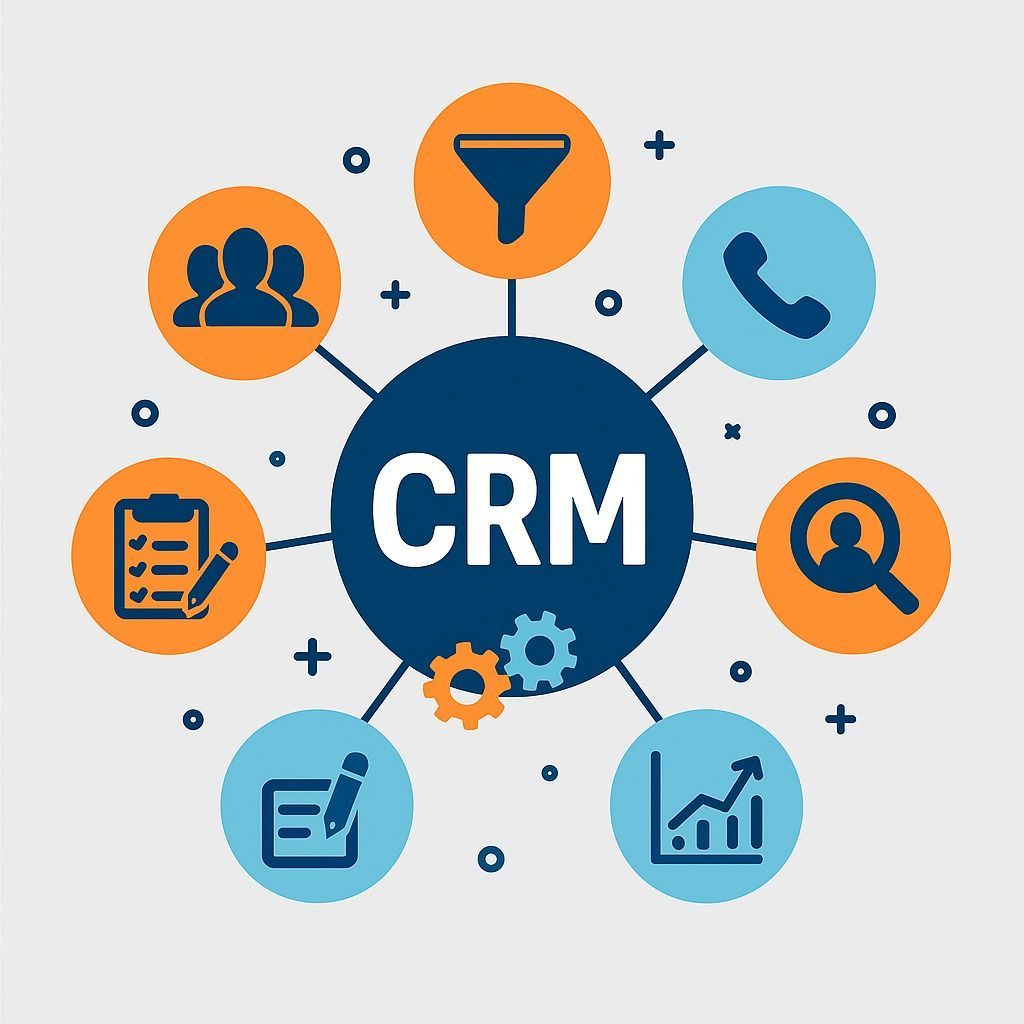
CRM automation provides many benefits for businesses. One of the biggest benefits is time saving. Repeated tasks such as data entry, reminders, and email sending can be automated.
Another benefit is better lead management. Every lead can be captured, categorized, and assigned automatically. This reduces the chance of losing potential customers.
CRM automation also improves follow-ups. Many sales are lost because businesses fail to follow up at the right time. Automated reminders and email sequences solve this problem.
Customer experience also improves because communication becomes faster and more personalized. Customers receive timely replies, updates, and helpful information.
CRM automation also helps managers track performance. They can see sales pipelines, lead sources, deal status, team activity, and customer history in one place.
It also increases sales efficiency. Sales teams can spend more time talking to qualified leads instead of doing manual admin work.
CRM Automation for Lead Management
Lead management is one of the most important uses of CRM automation. A lead is a person or business that may become a customer. Managing leads properly can directly improve sales.
CRM automation can capture leads from websites, forms, ads, emails, chatbots, and landing pages. Once the lead enters the CRM, the system can automatically save contact details and add tags based on interest.
For example, if a lead fills out a form for “SEO services,” the CRM can tag them as an SEO lead. If another lead asks about “website design,” they can be tagged differently.
The CRM can also assign leads to the right team member based on location, service type, budget, or lead source. This improves response time.
Lead scoring is another useful feature. The CRM can give points to leads based on actions such as opening emails, visiting pricing pages, or requesting a quote. High-scoring leads can be prioritized by the sales team.
CRM Automation for Sales Teams
Sales teams need organization, speed, and follow-up discipline. CRM automation helps sales teams manage deals more professionally.
A sales CRM can automatically update deal stages. For example, when a lead books a call, the CRM can move the deal from “New Lead” to “Meeting Scheduled.” After a proposal is sent, the deal can move to “Proposal Sent.”
CRM automation can also create reminders for salespeople. If a lead has not been contacted for a certain time, the system can send an alert.
Sales email sequences are also useful. The CRM can send automated emails after a sales call, proposal, or inquiry. This keeps communication active.
Managers can also track sales activity. They can see how many calls were made, how many deals are active, and which team members are performing well.
This makes sales teams more efficient and helps close more deals.
CRM Automation for Marketing
Marketing teams use CRM automation to send targeted messages to the right audience. Instead of sending the same message to everyone, the CRM can segment customers based on behavior, interest, location, or purchase history.
For example, new subscribers can receive a welcome email sequence. Existing customers can receive product updates. Leads who downloaded a guide can receive educational emails.
CRM automation helps connect marketing with sales. When a lead becomes more interested, the CRM can notify the sales team. This is useful for lead nurturing.
Marketing automation inside CRM can also track campaign performance. Businesses can see which emails, ads, or landing pages bring the best leads.
This helps companies make smarter marketing decisions and improve return on investment.
CRM Automation for Customer Support
Customer support is another important area where CRM automation is useful. Customers expect fast and helpful responses. CRM automation can help support teams manage requests more efficiently.
When a customer submits a support request, the CRM can create a ticket and assign it to the right support agent. The system can also send an automatic confirmation message to the customer.
If the issue is not solved within a certain time, the CRM can send reminders or escalate it to a manager.
CRM automation can also store customer history. Support agents can see previous purchases, conversations, complaints, and preferences. This helps them give better support.
After a support ticket is closed, the CRM can send a feedback request. This helps businesses measure customer satisfaction.
CRM Automation for Email Follow-Ups
Follow-up emails are very important in sales and customer relationships. Many customers do not make a decision after the first contact. They may need reminders, more information, or trust-building messages.
CRM automation can send follow-up emails automatically based on customer behavior. For example, after someone requests a quote, the CRM can send a thank-you email. After two days, it can send more details. After one week, it can send a reminder.
These emails should feel natural and helpful. They should not sound spammy or robotic.
Automated follow-ups help businesses stay connected without manually sending every message. This improves consistency and saves time.
CRM Automation and Customer Segmentation
Customer segmentation means dividing customers or leads into groups based on shared characteristics. CRM automation makes segmentation easier.
A CRM can segment contacts by location, industry, interest, purchase history, lead source, budget, or engagement level.
For example, a business can create separate groups for new leads, active customers, old customers, high-value clients, and inactive subscribers.
This allows businesses to send more relevant messages. A new lead may need educational content, while an existing customer may need upsell offers or support updates.
Better segmentation improves marketing results and customer experience because people receive content that matches their needs.
CRM Automation and Personalization
Personalization means making communication feel more relevant to each customer. CRM automation helps businesses personalize emails, offers, reminders, and customer journeys.
For example, an automated email can include the customer’s name, service interest, previous purchase, or location. This makes the message feel more personal.
Personalization can also be based on behavior. If a customer visits a pricing page, the CRM can send pricing-related information. If a customer downloads a guide, the CRM can send related educational content.
Personalized communication often performs better than generic messages. Customers are more likely to respond when the message matches their needs.
CRM automation makes personalization possible at scale.
CRM Automation for Reporting and Analytics
CRM automation also helps with reporting. Instead of manually creating reports, the CRM can collect data and generate dashboards automatically.
Businesses can track lead sources, conversion rates, sales pipeline value, customer activity, team performance, and revenue trends.
Reports help managers understand what is working and what needs improvement. For example, if most leads come from one marketing channel, the business can invest more in that channel.
Sales reports can show which deals are close to closing and which ones need attention. Customer reports can show satisfaction levels and repeat purchase behavior.
Data-driven decisions are better than guessing. CRM automation gives businesses useful data in one place.
CRM Automation for Small Businesses
Small businesses can benefit greatly from CRM automation. Many small business owners manage customers through WhatsApp, email, notebooks, or spreadsheets. This can work in the beginning, but it becomes difficult as the business grows.
CRM automation helps small businesses look more professional. Leads can receive quick replies, follow-ups can happen on time, and customer records can stay organized.
A small business can start with basic CRM automation such as contact form capture, automated emails, task reminders, and deal tracking.
This does not need to be complicated. Even simple automation can save hours every week.
For small businesses, CRM automation is useful because it helps manage customers without hiring a large team.
CRM Automation for Large Businesses
Large businesses have many customers, departments, and team members. Manual customer management at this level can become very difficult. CRM automation helps large companies maintain consistency and control.
Large companies use CRM automation for sales pipelines, customer support, marketing campaigns, account management, reporting, and internal communication.
Automation helps departments work together. For example, when a sale is completed, the CRM can notify finance, onboarding, and support teams automatically.
Large businesses also use CRM automation to manage customer journeys across many touchpoints. This helps create a smooth experience from first contact to long-term relationship.
Best Features of CRM Automation Tools
A good CRM automation tool should include lead capture, contact management, email automation, task reminders, pipeline tracking, reporting, and integrations.
Lead capture helps collect customer information from forms, ads, and websites. Contact management keeps all customer details in one place.
Email automation allows businesses to send welcome emails, follow-ups, newsletters, and reminders.
Task automation helps teams remember calls, meetings, and follow-ups.
Pipeline tracking helps sales teams see where each deal stands.
Reporting helps managers measure sales and marketing performance.
Integrations are also important. A CRM should connect with email, calendar, website, social media ads, payment tools, and customer support systems.
How to Choose the Right CRM Automation Tool
Choosing the right CRM automation tool depends on business needs. The first step is understanding what problem the business wants to solve.
If the main problem is missed follow-ups, the business needs strong reminder and email automation features. If the main problem is messy customer data, contact management should be a priority.
The tool should also be easy to use. If the CRM is too complicated, the team may not use it properly.
Cost is another factor. Businesses should choose a tool that fits their budget but still offers important features.
Scalability is also important. The CRM should support future growth.
Customer support and training resources should also be checked before choosing a tool.
Common Mistakes in CRM Automation
One common mistake is automating without a clear strategy. Businesses should not automate random tasks. They should first understand their customer journey.
Another mistake is poor data quality. If customer data is incorrect, automation will also produce poor results. Clean data is very important.
Some businesses send too many automated emails. This can annoy customers and reduce trust. Automation should be helpful, not spammy.
Another mistake is ignoring human interaction. CRM automation should support relationships, not replace real communication completely.
Businesses also fail when they do not train their team. Everyone should understand how to use the CRM correctly.
Future of CRM Automation
The future of CRM automation will become more intelligent. Artificial intelligence and data analytics are making CRM systems smarter. Future CRM tools may predict customer needs, suggest best follow-up times, and automatically identify high-value leads.
Personalization will also become more advanced. Businesses will be able to send highly relevant messages based on customer behavior and preferences.
CRM automation will also become more useful for small businesses because tools are becoming easier and more affordable.
As competition grows, businesses that manage customer relationships properly will have a stronger advantage. CRM automation will continue to be a key part of sales, marketing, and customer service.
Conclusion
CRM Automation is one of the most powerful ways to improve customer management, sales performance, and business efficiency. It helps businesses capture leads, organize customer data, automate follow-ups, track deals, personalize communication, and improve customer support.
The biggest advantage of CRM automation is that it saves time while improving consistency. Sales and marketing teams can focus on building real relationships instead of wasting time on repetitive manual tasks.
However, CRM automation should be used carefully. Businesses should keep data clean, create helpful workflows, avoid spammy communication, and train their teams properly.
In today’s business world, customers expect fast, personalized, and professional service. Companies that use CRM Automation wisely can build stronger relationships, close more deals, and grow with better organization.
FAQs
1. What is CRM Automation?
CRM Automation is the use of CRM software to automate customer management tasks such as lead capture, follow-ups, email sequences, task reminders, and sales pipeline updates.
2. Why is CRM Automation important?
CRM Automation is important because it saves time, reduces manual errors, improves follow-ups, organizes customer data, and helps businesses build better relationships.
3. How does CRM Automation help sales teams?
It helps sales teams by assigning leads, creating follow-up reminders, updating deal stages, sending emails, and tracking sales activity automatically.
4. Can small businesses use CRM Automation?
Yes, small businesses can use CRM Automation to manage leads, send quick replies, track customers, and improve sales without needing a large team.
5. What tasks can be automated in a CRM?
Tasks like lead capture, email follow-ups, customer segmentation, task reminders, pipeline updates, support tickets, and reporting can be automated.
6. Does CRM Automation replace human communication?
No, CRM Automation supports human communication. It handles repetitive tasks so teams can focus on personal conversations and relationship building.
7. How does CRM Automation improve customer experience?
It improves customer experience by ensuring faster responses, timely follow-ups, personalized messages, and better support tracking.
8. What features should a CRM automation tool have?
A good CRM automation tool should have lead management, email automation, contact management, pipeline tracking, task reminders, reporting, and integrations.
9. What are common CRM Automation mistakes?
Common mistakes include poor data quality, sending too many automated emails, automating without strategy, ignoring team training, and removing the human touch.
10. Is CRM Automation good for long-term business growth?
Yes, CRM Automation supports long-term growth by improving customer relationships, increasing sales efficiency, and keeping business processes organized.